Work overview
HyoNova Work — My Work, projects, tasks, board, flow, timeline, calendar, team workload, goals, reports and notifications, by role.
On this page
Work is where your company plans and runs its projects and tasks. It is one area of the company workspace, and the same work opens beside you inside the office. Everything — projects, tasks, milestones, dependencies, comments, files, goals — is one set of company records with one set of permissions, wherever you open it.
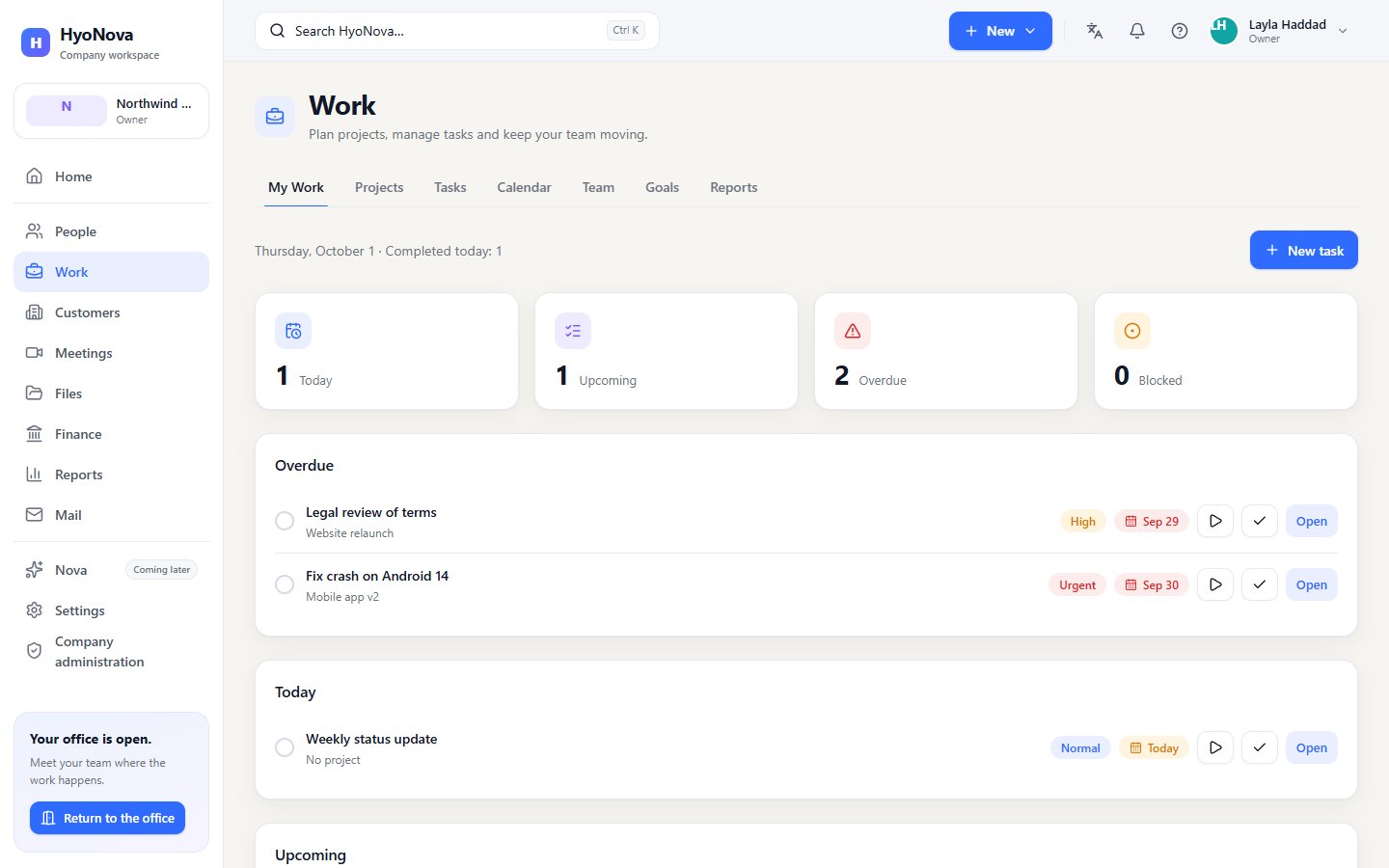
The pages of Work#
Open Work in the sidebar of the company workspace. A row of tabs at the top leads to each page:
| Tab | What it is for | Page |
|---|---|---|
| My Work | What is assigned to you: overdue, blocked, today, upcoming and later. | Tasks |
| Projects | Every project as cards or rows, with progress, members and due date. Each project opens its own workspace with Overview, Board, List, Timeline, Flow, Milestones, Files and Activity. | Projects |
| Tasks | The task centre: My tasks, Team tasks and All tasks, with filters, grouping and bulk changes. | Tasks |
| Calendar | Due dates, start dates and milestones by month, week or agenda. | Views and planning |
| Team | How much open, blocked and overdue work each member has. Owners, admins and managers only. | Views and planning |
| Goals | Goals, objectives and key results with measured progress. | Views and planning |
| Reports | Completed and created tasks, on-time rate, tasks by status and project delivery for a period. | Reports |
A task always opens in a panel on top of the page you are on, with its own address, so you can share the link, refresh or go back without losing your place.
Who can do what#
HyoNova checks every action on the server, so a button you do not see is also an action the server would refuse.
| Role | Projects | Tasks |
|---|---|---|
| Owner, Admin | See, create, edit, change status, add members and milestones, archive | See, create, edit, move, assign to anyone, archive |
| Manager | See, create, edit, change status, add members and milestones | See, create, edit, move, assign to anyone |
| Employee | See, create, edit, change status, add milestones, add themselves as a member | See, create, edit, move, take tasks themselves |
| Restricted | Not available | See only |
Only owners, admins and managers see the Team tab and can assign work to other people. See Roles and permissions.
Create something new from anywhere#
The New button in the top bar of the company workspace opens a short menu with the items your role allows: New task, New project, New meeting, Upload file, Invite person and New customer. New task and New project open the same dialogs as in Work and take you to the new task or project when it is created.
Notifications and reminders#
The bell in the top bar opens Notifications, your notification centre. A dot on the bell, and a number next to Home in the sidebar, show how many are unread.
You receive a notification when someone:
- assigned you a task, or added you to a project;
- mentioned you in a comment, or commented on your task (a task assigned to you);
- completed a task you created;
- marked your task blocked;
- completed the last task yours was waiting on — a dependency is done; your task is ready.
HyoNova also sends reminders once a day, in your company's time zone, for open tasks assigned to you: task due soon for tasks due today or tomorrow, and task overdue for tasks past their due date. You never get a notification for something you did yourself.
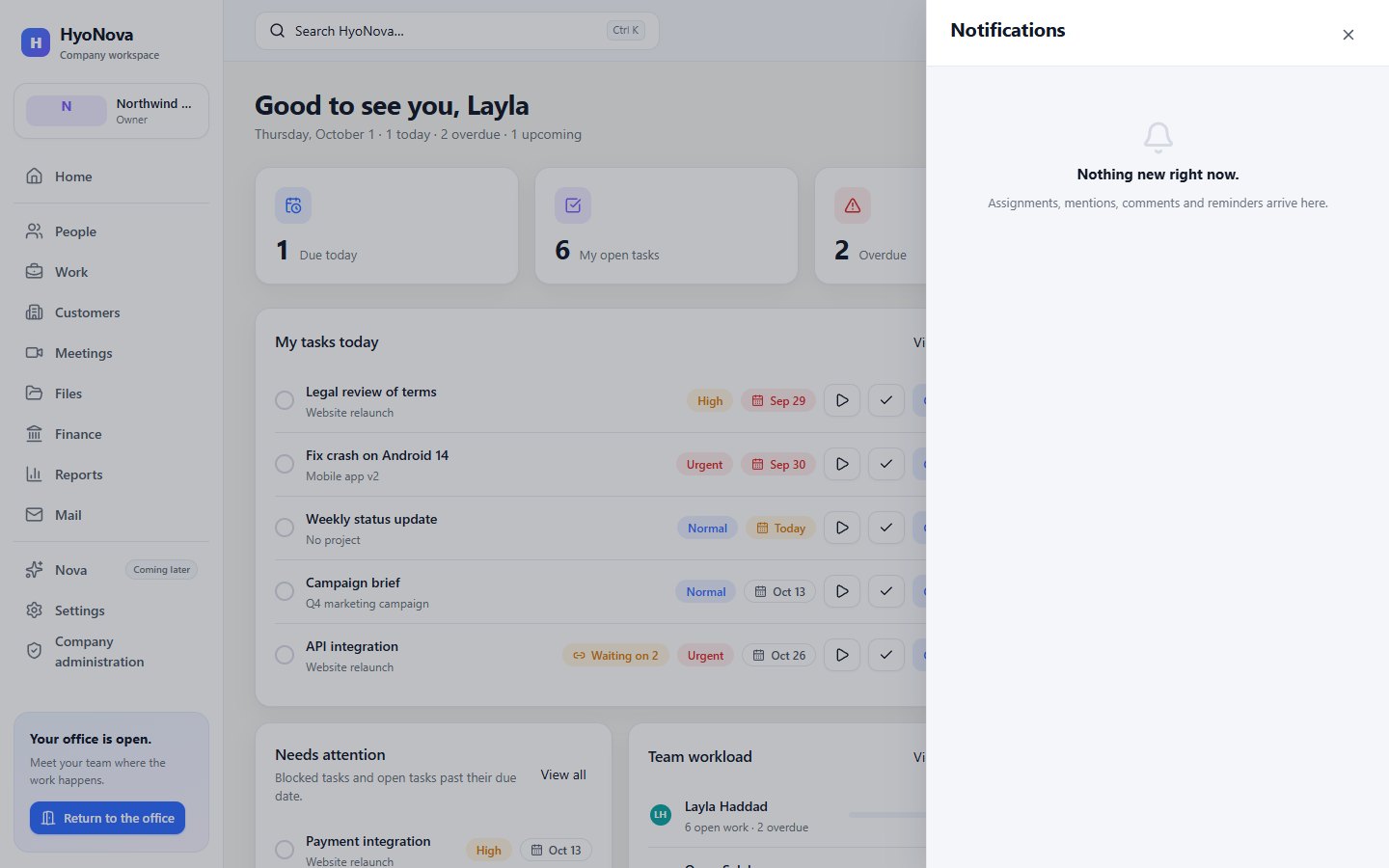
Select a notification to open what it is about; it is then marked as read. Mark all as read clears the list. The list refreshes about once a minute and whenever you come back to the browser tab. Inside the office, the same notifications appear in the Notifications sheet — see Work in the world.
Work on Home#
Home summarises Work for your role: Due today, My open tasks, Overdue and Active projects or Completed today, a My tasks today list with quick Start and Complete buttons, and Project progress. Owners, admins and managers also see Needs attention — blocked tasks and open tasks past their due date — and a short Team workload. Each card has View all, which opens the matching page in Work.
Work inside the office#
In the office, Work on the left rail — or Your work when you sit at a desk — opens Quick Work beside the 3D view: your counts, a few tasks with Start, Complete and Open, and Open full Work for the dashboard. A project can also be linked to a room of the office. See Work in the world.
How Work connects to the rest of HyoNova#
- Files. Files attached to tasks are company files, with the same size limit and permissions. A project's Files tab lists everything attached to its tasks. See Files.
- Customers. A project can be linked to a customer and a deal, and a project can be created from a deal. See Customers & CRM.
- Meetings. A meeting host can turn a note into a task; the task shows From meeting. See Meetings.
- Office. A project can live in an office room, with its board on the room's screen.
- Reports. Work reports appear in Work › Reports and in the Reports area. See Reports.
Status#
| Feature | Status | Notes |
|---|---|---|
| Tasks and My Work | AvailableWorks today for workspaces whose plan includes it. | My Work for your day, a task centre with filters and bulk actions, and a task panel for every detail. |
| Projects | AvailableWorks today for workspaces whose plan includes it. | Projects with a team, dates, milestones and tasks, and Overview, Board, List, Timeline, Flow, Milestones, Files and Activity tabs. |
| Milestones, dependencies, comments, labels and subtasks | AvailableWorks today for workspaces whose plan includes it. | Milestones, task dependencies, comments with @mentions, labels, subtasks, project members and activity history. @mentions are offered to owners, admins and managers; employees' comments notify assignees. |
| Board view | AvailableWorks today for workspaces whose plan includes it. | A Kanban board of tasks by status. |
| Timeline and Gantt | AvailableWorks today for workspaces whose plan includes it. | Plan projects on a timeline with dependencies. |
| Work calendar | AvailableWorks today for workspaces whose plan includes it. | See tasks and milestones by date. |
| Team workload | AvailableWorks today for workspaces whose plan includes it. | See how much work each person has. Owners, admins and managers only; counts, no scores. |
| Goals and OKRs | AvailableWorks today for workspaces whose plan includes it. | Goals with objectives and key results; progress = current ÷ target. |
| Notifications and reminders | AvailableWorks today for workspaces whose plan includes it. | In-app notifications for assignments, mentions, comments, due dates and approvals. In-app only; email notifications are not available. |
Recurring tasks, assigning work to AI agents and connecting outside calendars are not available.
Start here#
Projects
Create and run projects in HyoNova Work — progress, members, milestones, board, list, timeline, flow, files, activity, customers and an office room.
Tasks
My Work, the task centre and the task panel — statuses, assignees, dates, subtasks, dependencies, attachments, comments with @mentions, labels and activity.
Views and planning: board, flow, timeline, calendar and goals
Plan and follow work in HyoNova with the Board, Flow, Timeline and Calendar views, the Team workload and Goals with key results.
Was this page helpful?
Thanks. Page ratings are not collected yet, so nothing was sent. If something is missing or wrong, see the Get help page.