Quickstart
Go from nothing to a working HyoNova office with your team in it — try an office first, or sign up directly.
On this page
This quickstart takes you from no account to a shared office with your team in it. You need a desktop or tablet browser with WebGL enabled. A microphone and camera are optional.
Choose your route#
There are two ways to start. Both end in the same place: a company workspace, with you as its Owner and an office your team can enter.
| Route | Best when | Start here |
|---|---|---|
| Try first | You want to walk around an office before you create an account. | https://app.hyonova.com/start |
| Sign up directly | You already know you want a company workspace. | https://app.hyonova.com/sign-up |
Try first#
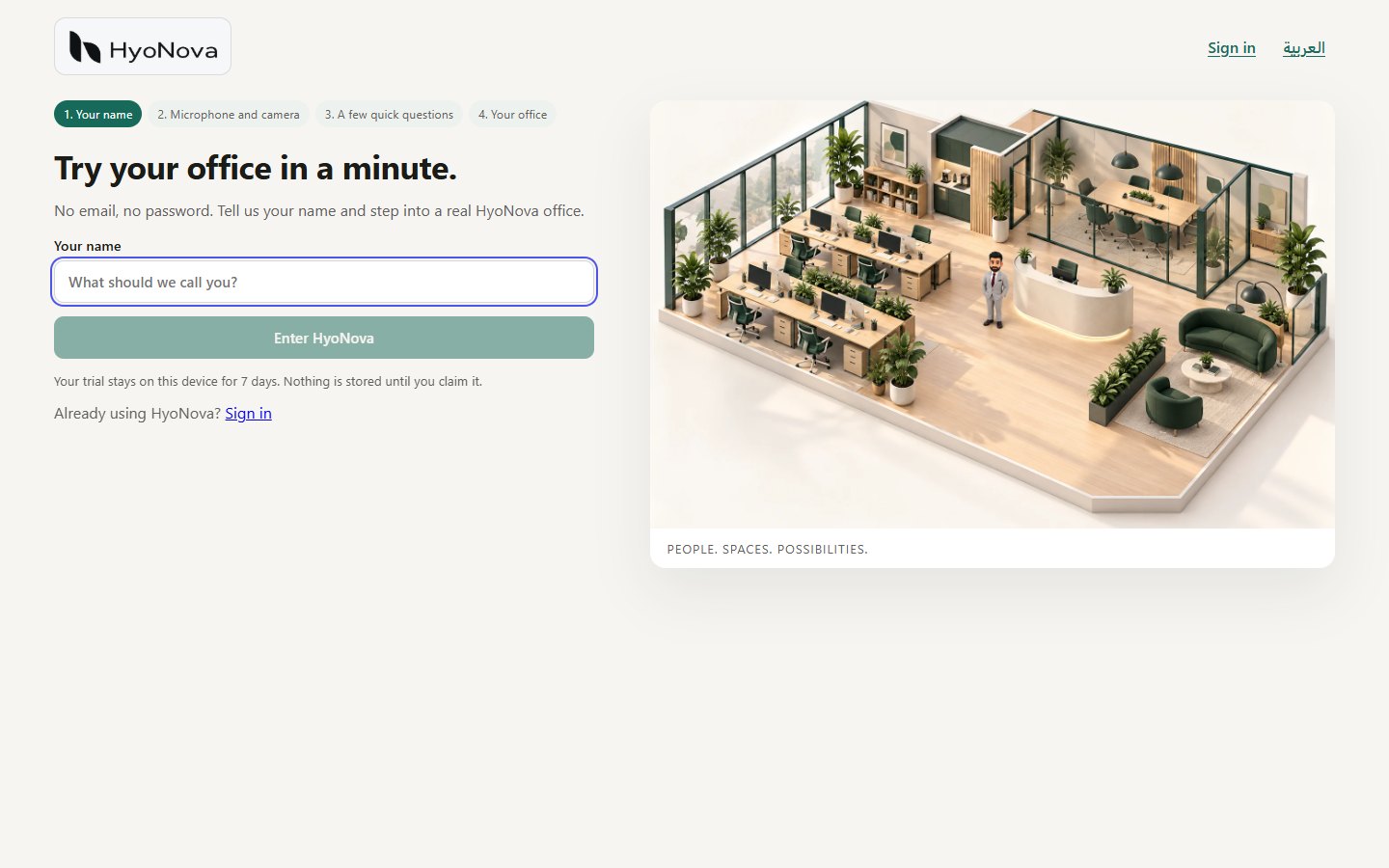
The trial needs no email and no password. It stays on your device for 7 days, and nothing is kept as a company until you claim it.
- Enter your name. Open https://app.hyonova.com/start and type the name you want to be called.
- Check your devices, or skip. Choose Enable mic & camera, or Continue without camera or microphone. You can change this inside the office later.
- Answer a few optional questions. They help HyoNova improve and never change what you can do. You can skip them.
- Pick an office. On Choose your office, select a template with Choose, look around it first with Preview in 3D, or pick Start empty for a blank floor.
- Walk around. Move with W A S D or double-click the floor, and press E near things to interact. The two characters marked Host belong to the office; they are not people.
- Claim your workspace. When you are ready, choose Claim your workspace. Enter your Work email, a Password and your Company name, then choose Claim workspace. Everything you chose — the office, your name and your character — stays.
After claiming, you land on Invite your team. Invite people now and choose Enter workspace, or choose Skip and enter workspace — both take you into your office.
Sign up directly#
- Open the sign-up page. Go to https://app.hyonova.com/sign-up.
- Create your company. Enter Your name, Work email, Password (at least 8 characters), Company name and Country, then choose Create company.
- Follow the welcome steps. HyoNova guides you through your profile, your character, your microphone and camera, your office world and inviting your team. See Create your company.
Find your way in the company workspace#
The company workspace is the dashboard for people, work and settings. These are the places this quickstart uses:
| Where | What you do there |
|---|---|
| People in the sidebar | See every member, invite people and follow invitations. |
| New in the top bar | Start something quickly. Owners and admins find Invite person here. |
| Company administration in the sidebar | Owners, admins and managers manage people, access, the workspace and company details in one place. |
| Settings in the sidebar | Your profile, language and password for everyone; workspace, connections and billing tabs depending on your role. |
| Enter the office on Home | Step into your company's office. |
The six steps to a working office#
Whichever route you took, these are the steps to a team that works together in HyoNova.
- Create or sign in. Claim a trial, or sign up. If your company already uses HyoNova, sign in at https://app.hyonova.com/sign-in. See Create your company.
- Open your company workspace. The company is created with you as its Owner, and you land in its company workspace. Next time, HyoNova opens it for you directly while you are still signed in.
- Choose your office. Pick one of twelve templates, sized for teams from a handful of people to a company campus, or start empty. See Choose your world.
- Enter. Choose Enter the office on Home, and step into the office in your browser. See Enter your workspace.
- Invite your team. Open People and choose Invite, or choose New › Invite person. Enter the person's name and work email, pick a role, and choose Create invitation link. Copy the link and send it yourself as well. See Invite your team.
- Start collaborating. Talk with people nearby, message and call colleagues, hold your first meeting and create your first project.
Your colleagues open the invitation link, see the company, who invited them and their role, choose a password, and arrive in the office after three short welcome steps.
Status#
| Feature | Status | Notes |
|---|---|---|
| Try HyoNova without an account | AvailableWorks today for workspaces whose plan includes it. | Pick an office template, walk around in 3D, then claim it as your workspace. |
Next steps#
Create your company
Sign up or claim a trial office to create your HyoNova company, then follow the welcome steps. You become the company's Owner.
Choose your world
Pick one of twelve office templates, or start empty. Template sizes, what the cards show, who can create an office and how your plan limits worlds.
Invite your team
Invite colleagues into your HyoNova company with a role, share the invitation link, and know what they see when they join.
Was this page helpful?
Thanks. Page ratings are not collected yet, so nothing was sent. If something is missing or wrong, see the Get help page.