Mail API
Send transactional email and manage contacts from your own systems with the Hyo Mail API — API keys, endpoints, examples, idempotency, errors and limits.
On this page
The Hyo Mail API lets your own product send transactional email — receipts, confirmations, account notices — one message per call, read each message's status, and keep your contacts in sync. It is part of Hyo Mail, and every plan includes it.
Base URL and authentication#
All endpoints live under one base URL:
https://api.hyonova.comSend an API key as a bearer token on every call:
Authorization: Bearer YOUR_API_KEYKeys start with hnm_. Keep them on your servers. Never put an API key in a web page or a mobile app.
Mail › Automations › API guide shows the same address as Endpoint, with a copy button.
Before you start#
- A verified sender. Your company verifies its own sending domain (DKIM, SPF through a custom MAIL FROM domain, and DMARC) and adds a sender address on it. Without one, sending answers
409 SENDER_NOT_VERIFIED. See Senders, domains and settings. - Mail credits. Each message uses one Mail credit. See Credits below.
- An API key. Someone with Mail administration — by default an Owner or Admin — creates it.
API keys#
- Open the keys. Go to Mail › Automations and open the API keys tab.
- Create a key. Choose New API key, give it a name that says where it is used, and tick the Scopes it needs (table below). Give each integration only the scopes it uses.
- Copy the secret. Choose Create key. Your new API key is shown once. Store it in your secret manager. If you lose it, create a new key.
| Scope | Allows |
|---|---|
mail.transactional.send | POST /mail/v1/send |
mail.events.read | GET /mail/v1/me, GET /mail/v1/messages, GET /mail/v1/messages/{id}, GET /mail/v1/forms |
mail.contacts.read | GET /mail/v1/contacts, GET /mail/v1/contacts/{id} |
mail.contacts.write | POST /mail/v1/contacts |
mail.conversions.write | POST /mail/v1/conversions |
mail.integrations.write | The store endpoints used by the WordPress and WooCommerce plugin |
The table of keys shows each key's prefix, scopes and Last used. Revoke stops a key immediately; calls with it then answer 401 API_KEY_INVALID. HyoNova stores only a hash of each key.
Endpoints#
| Method | Path | Scope | Purpose |
|---|---|---|---|
POST | /mail/v1/send | mail.transactional.send | Queue one email for delivery |
GET | /mail/v1/messages/{id} | mail.events.read | One message with its delivery events |
GET | /mail/v1/messages | mail.events.read | The message log, newest first |
GET | /mail/v1/me | mail.events.read | The company and key behind the API key, and the limits |
GET | /mail/v1/contacts | mail.contacts.read | List contacts |
GET | /mail/v1/contacts/{id} | mail.contacts.read | One contact, by ID or by email address |
POST | /mail/v1/contacts | mail.contacts.write | Create or update a contact by email |
GET | /mail/v1/forms | mail.events.read | Active sign-up forms |
POST | /mail/v1/conversions | mail.conversions.write | Record an order or another conversion for campaign attribution |
GET | /mail/v1/openapi.json | none | The OpenAPI 3.0 document of this API |
To be told about delivery events instead of asking, use Webhooks.
Send an email#
POST /mail/v1/send queues one message and answers 202 Accepted. Send either a template with variables, or a subject and HTML:
| Field | Type | Notes |
|---|---|---|
to | string or object | "name@example.com" or { "email": "name@example.com", "name": "Name" } (name up to 120 characters) |
templateId | string | A template from Mail › Campaigns › My templates. Required unless you send subject and html |
variables | object | Values for the template's variables, such as { "order_number": "1001" }. Strings, numbers, booleans or null |
subject | string | Up to 500 characters. Required with html when there is no templateId |
html | string | Up to 400,000 characters. Unsafe content is removed |
text | string | Optional plain-text version, up to 100,000 characters |
senderId | string | A verified sender. Without it, the default verified sender is used |
replyTo | string | A reply-to address |
tags | object | Your own labels, such as { "type": "receipt" } (keys up to 40, values up to 120 characters) |
idempotencyKey | string | Up to 160 characters. You can send it as the Idempotency-Key header instead |
Templates use variables such as {{ order_number }}, with an optional fallback: {{ order_number | default:"—" }}. Values are always inserted as text.
curl -X POST "https://api.hyonova.com/mail/v1/send" \
  -H "Authorization: Bearer $HYO_MAIL_API_KEY" \
  -H "Content-Type: application/json" \
  -H "Idempotency-Key: order-1001-confirmation" \
  -d '{
    "to": { "email": "name@example.com", "name": "Customer" },
    "templateId": "TEMPLATE_ID",
    "variables": { "order_number": "1001" }
}'const response = await fetch('https://api.hyonova.com/mail/v1/send', {
method: 'POST',
headers: {
Authorization: `Bearer ${process.env.HYO_MAIL_API_KEY}`, // YOUR_API_KEY
'Content-Type': 'application/json',
'Idempotency-Key': 'order-1001-confirmation',
},
body: JSON.stringify({
to: { email: 'name@example.com', name: 'Customer' },
templateId: 'TEMPLATE_ID',
variables: { order_number: '1001' },
}),
});
const result = await response.json();
if (response.status !== 202) {
throw new Error(`${result.error.code}: ${result.error.message}`);
}
console.log(result.id, result.status); // status is "queued"<?php
$payload = json_encode([
'to' => ['email' => 'name@example.com', 'name' => 'Customer'],
'templateId' => 'TEMPLATE_ID',
'variables' => ['order_number' => '1001'],
]);
$ch = curl_init('https://api.hyonova.com/mail/v1/send');
curl_setopt_array($ch, [
CURLOPT_POST => true,
CURLOPT_RETURNTRANSFER => true,
CURLOPT_TIMEOUT => 15,
CURLOPT_HTTPHEADER => [
'Authorization: Bearer ' . getenv('HYO_MAIL_API_KEY'), // YOUR_API_KEY
'Content-Type: application/json',
'Idempotency-Key: order-1001-confirmation',
],
CURLOPT_POSTFIELDS => $payload,
]);
$body = curl_exec($ch);
$status = curl_getinfo($ch, CURLINFO_RESPONSE_CODE);
curl_close($ch);
$result = json_decode((string) $body, true);
if ($status !== 202) {
throw new RuntimeException($result['error']['code'] . ': ' . $result['error']['message']);
}
echo $result['id'];The response:
{ "id": "6f1c2d4e-9a7b-4c1d-8e2f-3a4b5c6d7e8f", "status": "queued", "replayed": false }Keep the id: it identifies the message in the message log, in GET /mail/v1/messages/{id} and in webhook events.
Idempotency#
Give every logical message its own key — for example order-1001-confirmation — and send the same key again when you retry after a timeout or a network error.
- The
Idempotency-Keyheader works on everyPOSTendpoint. The first answer under a key is kept for 24 hours for that API key. A retry with the same key and the same body gets the same answer again, with the headerIdempotent-Replayed: true. The same key with a different body answers409 IDEMPOTENCY_CONFLICT. Header keys can be up to 200 characters. - On
POST /mail/v1/sendthe key also names the message for your whole company: a later call with the same key returns the original message with"replayed": trueand sends nothing new. Keep send keys to 160 characters.
Read a message#
GET /mail/v1/messages/{id} returns one message with its events:
curl "https://api.hyonova.com/mail/v1/messages/MESSAGE_ID" \
-H "Authorization: Bearer $HYO_MAIL_API_KEY"{
"id": "6f1c2d4e-9a7b-4c1d-8e2f-3a4b5c6d7e8f",
"recipient": "name@example.com",
"subject": "Your order 1001",
"templateId": "TEMPLATE_ID",
"status": "delivered",
"providerMessageId": "…",
"errorCode": null,
"createdAt": "2026-10-18T09:30:00.000Z",
"sentAt": "2026-10-18T09:30:02.000Z",
"lastEventAt": "2026-10-18T09:30:05.000Z",
"events": [
{ "type": "sent", "at": "2026-10-18T09:30:02.000Z" },
{ "type": "delivery", "at": "2026-10-18T09:30:05.000Z" }
]
}GET /mail/v1/messages lists messages, newest first, as { "items": [...], "nextCursor": "…" }. Query parameters: limit (1–100, default 25), cursor (the previous nextCursor), status, q (part of the recipient or subject), since (an ISO date-time) and tag (a tag key).
Message statuses#
| Status | Meaning |
|---|---|
queued | Accepted by the API, waiting to be sent |
deferred | Waiting for HyoNova's sending pace; it is sent automatically later |
processing | Being handed to the email service |
sent | Accepted by the email service |
delivered | The recipient's mail server accepted it |
bounced | The address does not exist or refused the message permanently |
complained | The recipient reported the message as spam |
rejected | The email service refused the message |
failed | Not sent; errorCode says why — MAIL_CREDITS_EXHAUSTED (no credits left) or SENDING_SUSPENDED (HyoNova paused sending for your company) |
suppressed | Not sent, because the address bounced or complained before (errorCode SUPPRESSED) |
An unsubscribe from marketing email does not stop transactional email. A hard bounce or a complaint does.
Account: GET /mail/v1/me#
Use it to check a key. It returns the organization (id, name), the key (id, name, prefix, scopes, expiresAt), entitlements (api, smtp), limits (requestsPerMinute, idempotencyWindowHours, keyRotationGraceHours) and apiVersion.
Contacts#
GET /mail/v1/contacts lists contacts as { "items": [...], "nextCursor": "…" }, with limit, cursor, status, q, tag and listId. GET /mail/v1/contacts/{id} accepts a contact ID or an email address.
POST /mail/v1/contacts creates or updates a contact by email. Fields: email (required), firstName, lastName, company, phone, locale, attributes, tags, listIds (up to 20), status (subscribed, pending or unsubscribed) and consent.
Consent is honest by design:
- A contact becomes
subscribedonly when you also sendconsent—{ "source": "checkout opt-in", "at": "2026-10-18T09:30:00Z", "reference": "order-1001" }. Without it, a new contact ispendingand receives no marketing email. - The API never overwrites a stronger state: an unsubscribed, suppressed, bounced or complained contact stays that way.
The answer is the contact, plus created (true for a new contact) and marketable (true only for subscribed).
curl -X POST "https://api.hyonova.com/mail/v1/contacts" \
  -H "Authorization: Bearer $HYO_MAIL_API_KEY" \
  -H "Content-Type: application/json" \
  -H "Idempotency-Key: signup-name@example.com" \
  -d '{
    "email": "name@example.com",
    "firstName": "Sam",
    "status": "subscribed",
    "consent": { "source": "website newsletter form" }
  }'
Forms and conversions#
GET /mail/v1/formslists your active sign-up forms withpublicId,name,fields,consentText,doubleOptIn,languageand the hostedurl. The WordPress plugin uses it.POST /mail/v1/conversionsrecords an order or another conversion, so campaign reports can attribute revenue to the last verified click. Fields:eventId(your stable ID — sending it again never adds revenue twice),eventType(purchase,order_confirmed,registration,leadorbooking), one ofcontactId,emailorcustomerRef,revenue,currency(three letters, defaultUSD),status(completed,refundedorcancelled),refundedAmount,occurredAtandmetadata. It answers202with theconversionand anoutcome. This endpoint accepts up to 300 requests per minute per key.
Errors#
Errors use this shape. Branch on code, not on the message. Every response carries an X-Request-Id header; include it when you contact HyoNova.
{ "error": { "code": "SENDER_NOT_VERIFIED", "message": "Add and verify a sender before sending." } }| Status | code | Meaning |
|---|---|---|
400 | VALIDATION_ERROR | The body or query is invalid; the message names each field |
401 | AUTHENTICATION_REQUIRED | No bearer token was sent |
401 | API_KEY_INVALID | The key is unknown or revoked |
401 | API_KEY_EXPIRED | The key was replaced and its grace period has ended |
402 | INSUFFICIENT_CREDITS | Your company has no Mail credits left; nothing was queued |
403 | FORBIDDEN | The key does not have the scope this endpoint needs |
403 | FEATURE_NOT_ENTITLED | Hyo Mail or its API is not enabled for your company |
404 | NOT_FOUND | The template, message, contact or list does not exist |
409 | SENDER_NOT_VERIFIED | No verified sender, or the chosen sender is not verified |
409 | IDEMPOTENCY_CONFLICT | The Idempotency-Key was already used with a different body |
429 | — | Too many requests. Detect it by the status; wait for retry-after seconds |
Credits#
Each message uses one Mail credit, charged once, when the message is handed to the email service:
- Retries never charge again.
- A message the email service permanently rejects gets its credit back. A bounce after the message was accepted does not.
- When the wallet is empty,
POST /mail/v1/sendanswers402 INSUFFICIENT_CREDITS. If credits run out between queueing and sending, the message is markedfailedwithMAIL_CREDITS_EXHAUSTED. Add credits and send it again with a new idempotency key.
There is no monthly allowance and no plan daily cap. See Mail and Sign capacity.
Limits#
- Requests. 600 requests per minute per API key (300 for
POST /mail/v1/conversions). Every answer carriesx-ratelimit-limit,x-ratelimit-remainingandx-ratelimit-reset; a429also carriesretry-after. - Delivery pace. HyoNova paces all sending to stay within its email provider's limits, so a message can wait briefly as
queuedordeferredbefore it is sent. - Size.
htmlup to 400,000 characters;subjectup to 500.
The message log#
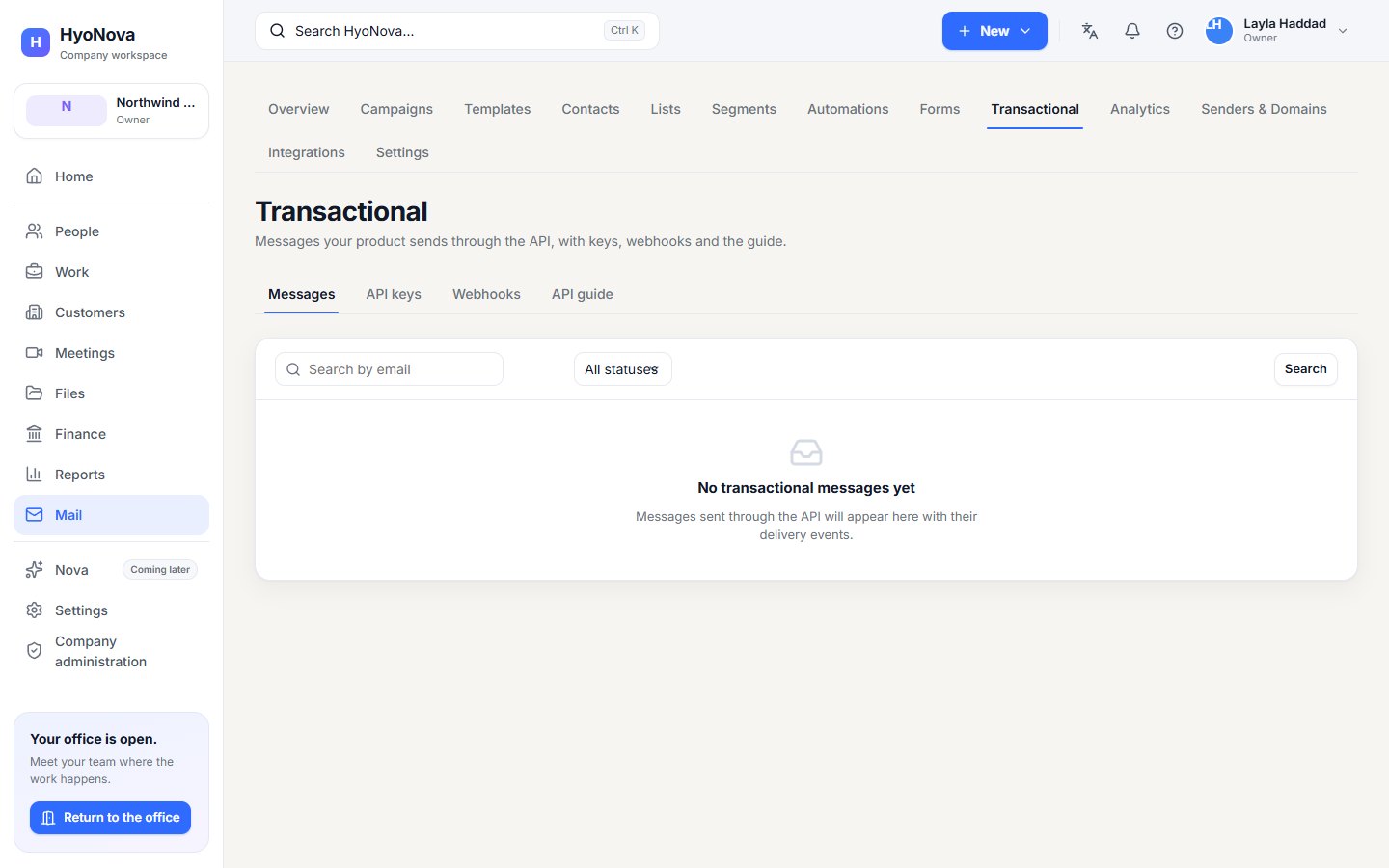
Mail › Automations › Messages lists every message sent through the API, with its Recipient, Status and Last event. Open one to see its Events and the Provider message ID. Anyone with access to Mail can read the log; the API keys and Webhooks tabs are for Mail administrators.
SMTP relay#
Status#
| Feature | Status | Notes |
|---|---|---|
| Transactional email API | AvailableWorks today for workspaces whose plan includes it. | Send email from your own systems with API keys, a message log and signed webhooks. Part of Hyo Mail. |
| SMTP relay for Hyo Mail | PlannedOn the HyoNova roadmap. Not built yet and has no release date. | Send through Hyo Mail over SMTP. |
Was this page helpful?
Thanks. Page ratings are not collected yet, so nothing was sent. If something is missing or wrong, see the Get help page.